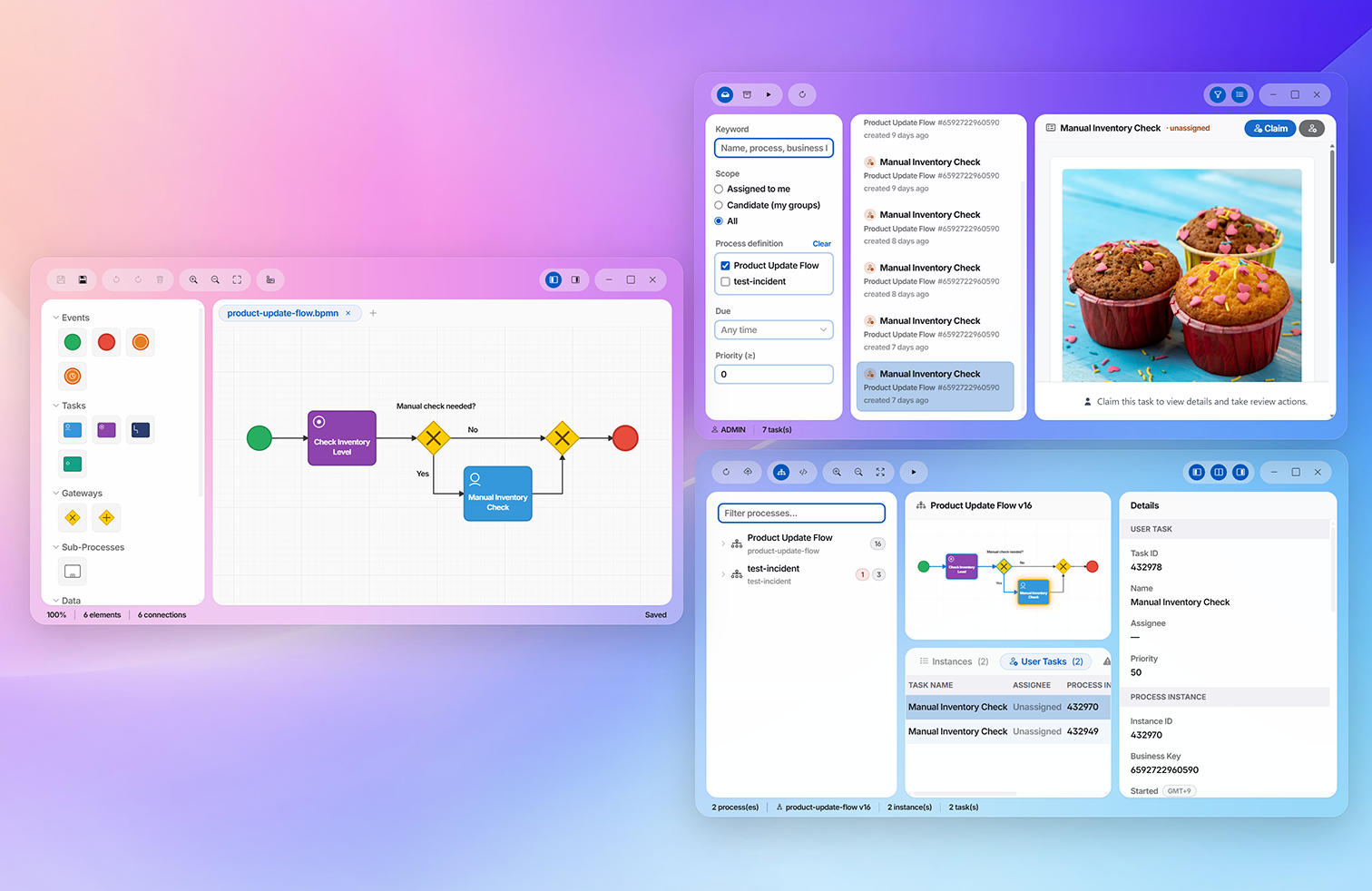
MintJams Commerce receives Shopify webhooks, normalizes them into the repository, and processes them with BPMN workflows — a headless commerce orchestration layer. Only the inventory that dips below threshold, the orders that need review, and the refunds you want to audit are turned into operator tasks and notifications. Bundled in the same Docker image as MintJams CMS; all that's left is configuration.
Events from Shopify are verified, normalized, put on a workflow, and routed to people only when needed. From intake to notification, it runs as one continuous pipeline.
Product updates, order confirmations, refunds, and more. A webhook fires.
A Groovy endpoint verifies with HMAC-SHA256.
Into the shared intake core. The raw payload is stored.
Into a repository with versioning, full-text search, and ACLs.
Evaluate thresholds and screening. Automatic, or human.
File a task for the operator and notify each channel.
Connecting to external commerce, business processes, and handing off to people. The mechanisms that used to be separate are brought together on the same MintJams CMS desktop.
Every topic into a single intake core. Raw payloads are stored and can be reprocessed at any time.
BPMN 2.0 processes decide on inventory, orders, and refunds. Anything that doesn't hit a rule passes through automatically.
Only when a decision is needed does it become an operator task. We track who picked it up and notify each channel.
When Shopify inventory falls below the per-variant threshold, a manual review task is filed and the configured channels are notified. Not a fire-and-forget alert — we track who takes the follow-up.
For a product seen for the first time, the operator decides — per variant — the count at which to warn.
Detects a stock dip and files a task. The operator reviews the situation and marks it handled.
Prevents a product already in progress from starting a duplicate workflow. The latest data keeps being stored, so nothing slips through.
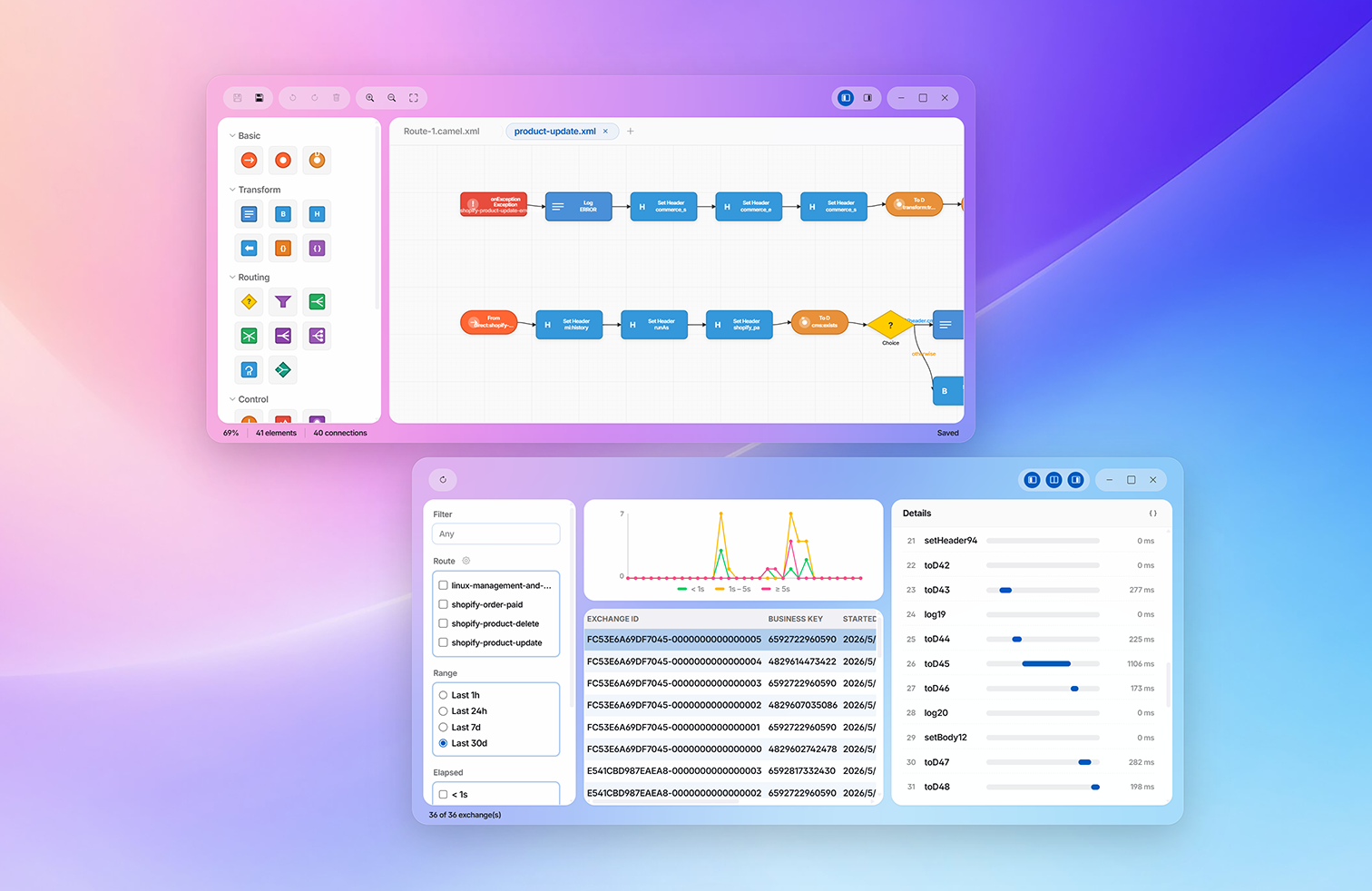
Intake is designed and deployed as EIP routes. Because raw payloads are kept in a durable event log, failed events are retried automatically and any event can be replayed manually. Write-backs are gated through the Admin API.
The only Shopify-specific part is a small topic→route table. A new backend is just an added adapter.
Visualize success / error / latency per route with exchange history and metrics. Bottlenecks at a glance.
Write inventory, price, and publish state back via the Admin API. Safely, with dryRun and an audit trail.
Outside the business workflows, it observes webhook intake, route processing, and Admin API calls. It bundles KPIs into one screen and, when it detects degradation or backlog, alerts the same notification channels.
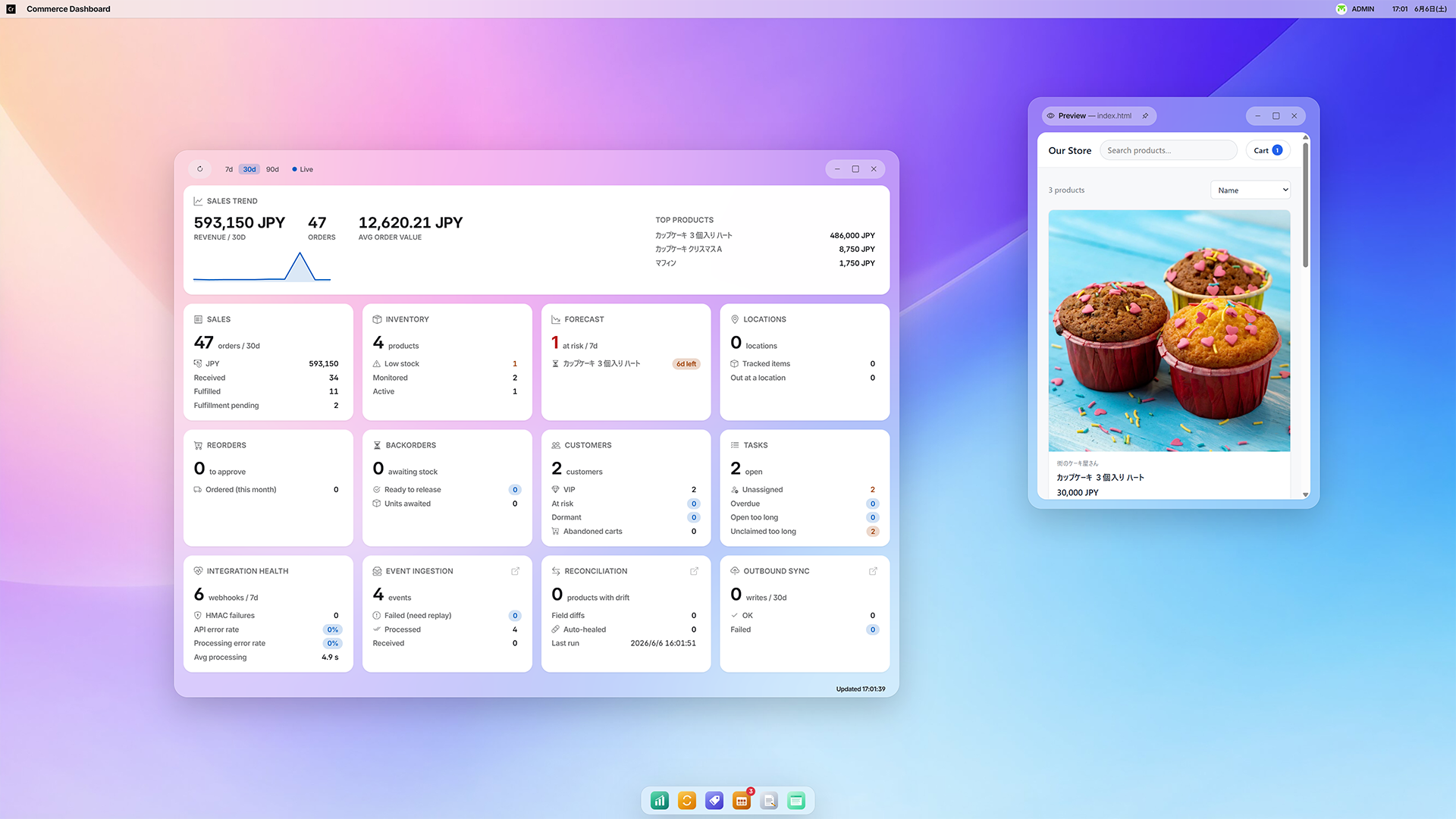
Real-time, read-only KPI cards covering sales, inventory, forecasts, purchasing, tasks, and integration health.
Observes success / error / latency by topic and alerts on degradation.
Periodically scans for stalled review tasks and escalates — raising priority and notifying.
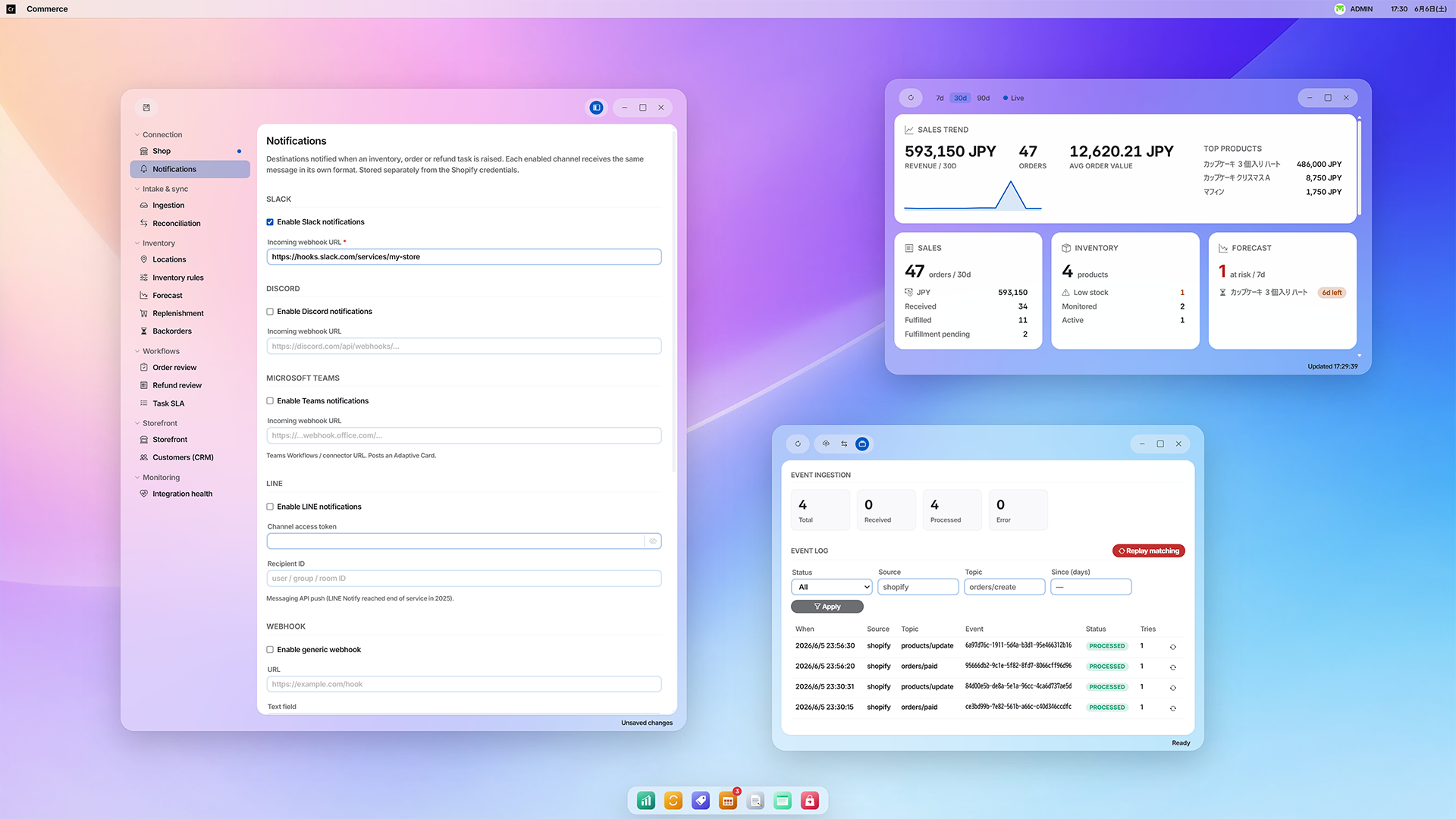
Every setting lives in the admin-only Commerce app. Edit through a grouped sidebar — Connection / Intake & sync / Inventory / Workflows / Storefront / Monitoring — and persist it all with a single Save. Connection details and notification targets are kept in separate files, so you can manage destinations without touching API secrets.
Each section carries an unsaved marker and applies together with one Save.
Enable Slack, Discord, Teams, LINE, Email, and a generic Webhook independently.
Manage notifications.yml and shopify.yml separately. Delegate operations safely.
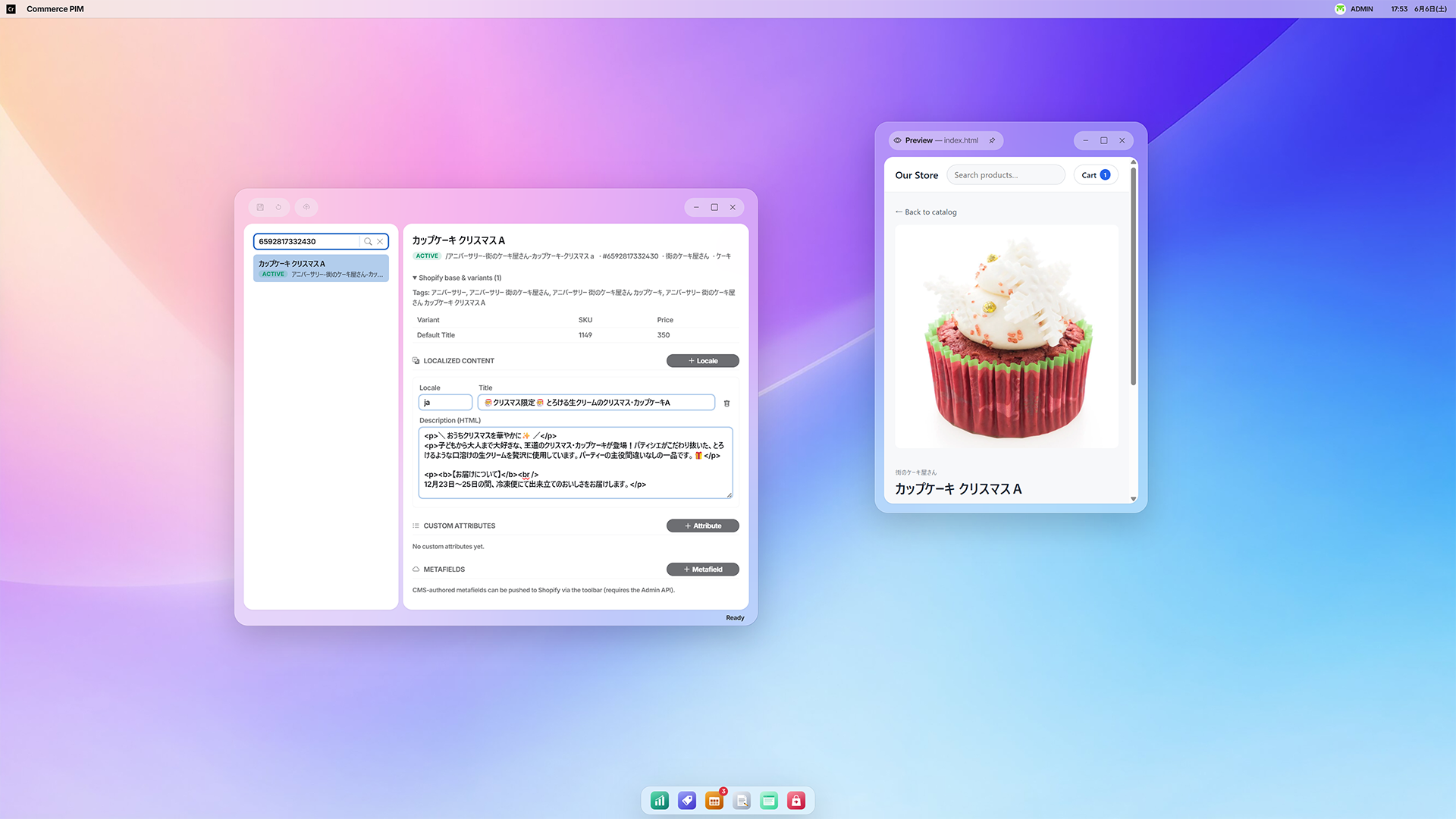
Add multilingual titles, rich descriptions, custom attributes, and metafields to Shopify products as a CMS-authoritative overlay. Because they're stored on the product node, they inherit JCR versioning, full-text search, and ACLs directly. Edit in a unified view that composes the Shopify base + metafields + overlay, and write CMS-originated metafields back through the sync endpoint.
Craft locale-specific titles and HTML descriptions per product.
Stored on the product node, inheriting history, full-text search, and ACLs. Edit safely.
The same mirror also becomes the basis for drift reconciliation and sales / audit exports.
Each feature can be configured independently and degrades gracefully when no input is given. Adopt only as much as you need.
Detects a threshold dip and files / notifies a Manual Inventory Check.
Screens high-value, risky-payment, and high-quantity orders, routing only those needing review to people.
Audit / fraud monitoring that moves no money. Also updates the order's refund summary.
Stay ahead of stockouts with dynamic thresholds, demand forecasting, and auto-purchasing.
Tracks line-level waits in FIFO and files a release task when stock arrives.
Overlay multilingual titles, descriptions, and metafields with versioning.
Periodically compares the CMS mirror with Shopify. Detects, reports, and self-heals drift.
Sales and write-back audits in JSON / CSV. Generated from the JCR trail.
Classifies as new / repeat / vip / at_risk / dormant from purchase history.
Read-only KPIs bundling sales, inventory, forecasts, and integration health.
Observes intake, processing, and API calls, alerting on degradation.
Rakuten / BASE / in-house commerce / ERP. Just add an adapter that throws the same envelope.
Automate e-commerce operations entirely and you fear what slips through. Do it all by hand and it doesn't scale. MintJams Commerce was born to make that boundary designable.
Integration processing runs not as an unrestricted superuser but as an ordinary principal that follows the repository ACLs, granted its own dedicated identity, groups, and ACLs on first launch. Writes are only appended to paths the platform owns.
There is no Commerce-only image. The assets are bundled in the mintjams/cms image. Start the CMS and the Commerce tools come up with it.
The Commerce assets are bundled in the same image. No extra install needed.
Go to http://localhost:8080 and sign in as admin.
Open Commerce from the Webtop menu and configure the integration.
Register the webhook shared secret. Enable the Admin API optionally.
docker run --rm \ -p 8080:8080 \ -e CMS_PUBLIC_BASE_URL=http://localhost:8080 \ -v cms-repository:/data/repository \ -v cms-secrets:/data/secrets \ --tmpfs /opt/felix/tmp:size=512m,mode=0700 \ mintjams/cms:latest # → Open http://localhost:8080/ and sign in as admin # → Open "Commerce" from the Webtop menu and configure
The intake core doesn't know about Shopify. All it knows is a small topic→route table. For a new backend, just add an adapter that throws the same envelope (event_source / event_topic / event_id + payload) to the core, and downstream keeps working as-is.
A source-agnostic intake core — downstream workflows stay unchanged
direct:commerce-ingest is source-agnostic. Add an adapter that throws the same envelope — event_source / event_topic / event_id + payload — and you can connect Rakuten, BASE, in-house commerce, ERP, and more with no downstream changes. The implementation bundled today is Shopify.mintjams/cms Docker image as cms0. Start the CMS and the Commerce tools come up with it — all that's left is configuration.commerce-service-user and fully obeys the repository ACLs. Writes are only appended to paths the platform owns, such as /content/commerce.github.com/mintjamsinc/commerce, the runtime foundation is cms0, and the UI framework is ichigo.js. Note that this product is in public preview, and APIs and configuration keys may change before 1.0.With a single Docker command, Shopify integration and business workflows are already in your hands.